




















What Are the Top Products for Productive Work Environments?

What Are the Top Products for Productive Work Environments?

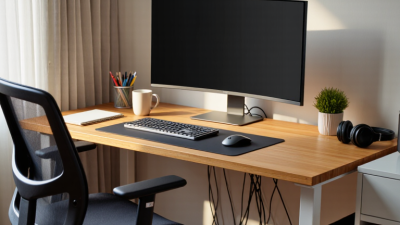
A productive work environment is not built by buying the most expensive desk or filling a room with gadgets. It grows from tools that reduce friction, support healthy routines, and make focused work easier. A stable desk, an adjustable chair, and a monitor positioned near eye level can change how a workday feels. Small details matter. A lamp that cuts screen glare can help. A well-fitted keyboard matters, too. Headphones may soften nearby noise without turning an office into a showroom. Yet no product works equally well for everyone.

This guide examines top products for productive work environments. It considers ergonomic furniture, monitor arms, task lighting, reliable chargers, and simple organizers. The goal is practical: match each item to a real need, available space, and budget. Evidence-informed choices matter. Look for clear adjustment ranges, durable materials, useful warranties, and recommendations grounded in credible ergonomic guidance. A product’s popularity alone proves little. Even an excellent chair cannot fix poor breaks or an overloaded schedule. That limitation is worth admitting. As you compare options, notice what causes strain or interruption during an ordinary workday, then choose products that address those specific problems. The best setup may remain imperfect, but thoughtful choices can make work calmer, safer, and more consistent.
What Are the Top Products for Productive Work Environments?

Understanding the Needs of a Productive Work Environment

Understanding the Needs of a Productive Work Environment

A productive workspace starts with the person using it, not the furniture catalog. Workers need clear task lighting, a chair that supports changing postures, and a desk with room for a notebook and keyboard. Reliable air circulation and manageable noise matter too. These details shape comfort across an ordinary workday. Small fixes can help. A lamp positioned to reduce screen glare may be more useful than brighter overhead lighting.

The physical environment also affects concentration. A 2016 study in Environmental Health Perspectives, led by researchers at Harvard T.H. Chan School of Public Health, found cognitive scores were 61% higher under “green” building conditions than conventional conditions, and 101% higher under “green+” conditions. The study examined controlled indoor conditions, so its results should not be treated as a guarantee for every office. Still, it points to the value of ventilation and indoor air quality. Choose products that support these needs: adjustable task lights, ergonomic seating, acoustic panels, and monitor stands. I still catch myself treating a neat desk as proof of a good setup. It isn’t. A quiet corner can also feel isolating, and the right chair cannot fix constant interruptions. A workspace should be reviewed with workers, then adjusted as their tasks change.
What Are the Top Products for Productive Work Environments?

Understanding workplace lighting needs can help you choose effective task lamps and ambient lighting.

Recommended maintained illuminance varies by task: detailed drawing needs more light than general circulation. Consider adjustable task lighting alongside comfortable ambient lighting. Values shown are selected workplace recommendations from EN 12464-1:2021.

Choosing Ergonomic Furniture and Equipment

A productive workspace begins with furniture that fits the person using it. Choose a chair with adjustable seat height and back support, so your feet can rest flat and your lower back feels supported. Fit matters. Set the desk so your shoulders stay relaxed while typing. Keep the monitor roughly an arm’s length away, with its top near eye level. A laptop stand and separate keyboard can help reduce neck strain.

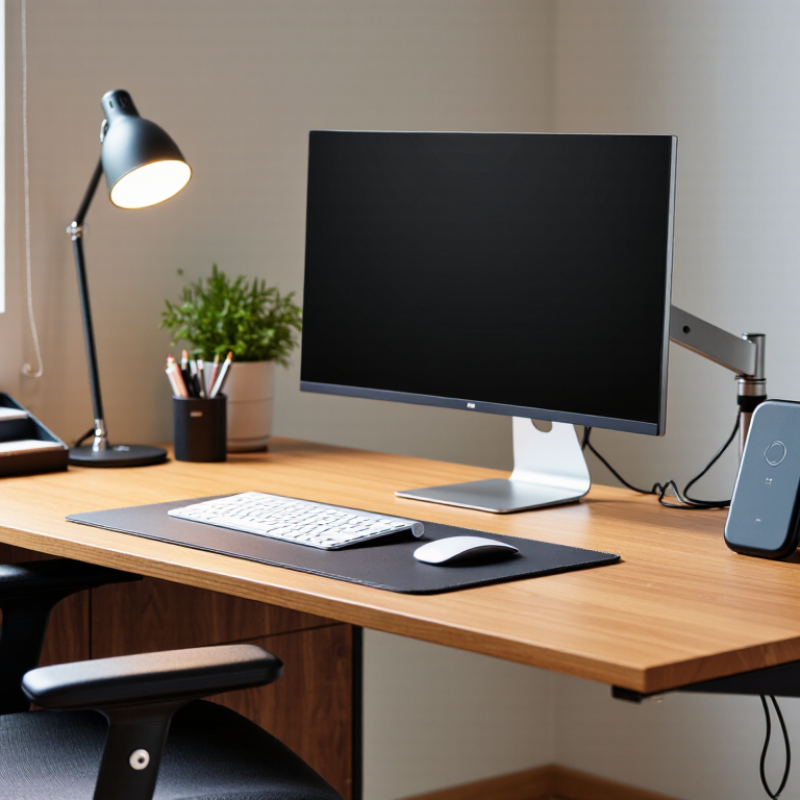
Useful equipment should make everyday tasks easier, not crowd the desk. A clear work surface, adjustable lamp, and headset can support focus during calls and detailed tasks. Keep frequently used items within easy reach, such as a notebook or water glass. Lighting deserves attention: place a lamp to the side of the screen to reduce glare. Small adjustments often help more than expensive upgrades. Still, a setup that feels comfortable on Monday may need changes by Friday; bodies and tasks vary.

Tips: Sit back, relax your shoulders, and check your screen height before a long work session. Stand or stretch briefly between tasks. If discomfort persists, reassess your setup and seek qualified guidance. A perfect posture is not a fixed pose.

Selecting Technology That Supports Focus and Collaboration

Technology supports focus when it removes small, repeated interruptions. A comfortable headset can make calls clearer, while an adjustable desk lamp reduces glare on late-afternoon screens. Choose equipment that fits the room and the task, rather than adding devices simply because they are available. That matters.

For collaboration, prioritize reliable video, clear audio, and shared documents that are easy to access. A camera at eye level and a microphone that limits nearby keyboard noise can make remote discussions less tiring. Shared project boards also help teams see ownership and deadlines without sending another message. Keep notifications selective; constant alerts can break concentration even when each one seems useful.

The setup should reflect how people actually work. A quiet focus area may need fewer screens and stronger sound control, while a meeting space benefits from simple connections and visible displays. In practice, teams sometimes overinvest in collaboration tools and underinvest in basic comfort. I would review the setup after a few weeks: note where delays happen, ask which alerts feel unnecessary, and adjust one thing at a time. Not always. A small change, such as moving a microphone or muting nonessential updates, may help more than a complete equipment refresh.

Organizing Tools for Efficient Daily Work

A productive desk is not an empty desk; it is a place where everyday tools are easy to find. Keep frequently used items within arm’s reach: a pen cup, a small paper tray, and a labeled folder for documents that need action. Put cables in clips along the desk edge, so they do not slip behind it. A 2023 Anatomy of Work Index reported that knowledge workers spend 58% of their time on “work about work,” including coordination and searching. Simple storage cannot fix every interruption, but clear homes for papers and supplies can reduce avoidable hunting. Less searching helps.

Choose organizers around actual routines, not an idealized desk. A vertical file holder suits active paperwork; a shallow tray works better for a few daily essentials. The 2023 Work Trend Index reported that employees were interrupted about every two minutes during core work hours by meetings, emails, or messages. A visible task list and a designated inbox can make returning to unfinished work easier. Keep the system small. Too many labels and containers can become another task to maintain. I still find that a “temporary” pile tends to grow, so review it at day’s end and remove what no longer needs attention.

What Are the Top Products for Productive Work Environments? - Organizing Tools for Efficient Daily Work
Product Primary Function How It Supports Productive Work Useful Selection Criteria Practical Setup Tip
Desktop organizer Stores frequently used stationery and small work supplies. Keeps commonly needed items visible and reduces time spent searching through drawers. Choose compartments suited to the items you use most, such as pens, notes, clips, or charging cables. Keep only daily-use supplies on the desk; store occasional-use items elsewhere.
Filing tray Separates incoming, active, and completed paperwork. Provides a simple visual system for handling documents and prevents loose papers from accumulating. Look for stackable trays and enough space for the typical size and volume of your documents. Label each tray with a clear action, such as “To Review” or “Completed.”
Monitor riser Raises a monitor and may provide storage space beneath it. Helps position the screen at a more comfortable viewing height while freeing some desk area. Check the riser’s height, width, weight capacity, and whether its base fits your monitor stand. Position the top of the screen around eye level and keep the monitor directly in front of you.
Adjustable desk lamp Provides focused task lighting. Improves visibility of printed materials and work surfaces, particularly when ambient lighting is insufficient. Consider adjustable positioning, brightness levels, light spread, and compatibility with your workspace. Place the lamp to reduce shadows and glare on the screen or paperwork.
Cable management clips or sleeve Routes and gathers cables along the desk or workstation. Reduces cable clutter and makes it easier to clean and rearrange the work area. Select a type that fits the number and thickness of your cables and can be attached securely to the surface. Group cables by destination and leave enough slack for equipment movement.
Notebook or task planner Records tasks, notes, reminders, and meeting actions. Creates a consistent place to capture work and prioritize the next steps. Choose a layout that matches your planning style, such as dated pages, undated pages, or a simple lined format. Start each workday by listing a few priority tasks and reviewing unfinished items.
Labelled storage boxes Organizes supplies, reference materials, and infrequently used items. Keeps shared or personal storage orderly and makes items easier to locate later. Measure shelves or drawers first, and choose boxes that suit the items being stored. Use short, specific labels and group related supplies together.
Headset stand Provides a designated place to store a headset when it is not in use. Keeps the headset off the work surface and makes it easy to find between calls or focused work sessions. Check that the stand is stable and compatible with the headset’s headband shape. Place it within easy reach without blocking frequently used desk space.

Matching Products to Workspace, Tasks, and Budget

The best products for a productive workspace depend on the room, the work, and the budget—not a universal checklist. In a small shared room, a compact desk and a chair with adjustable height may matter more than extra storage. Measure the space before buying; leave enough room to pull the chair back without hitting a wall. For detail-heavy tasks, a focused desk lamp can reduce shadows on paper. People who switch between calls and writing may benefit from a headset and a clear spot for notes. Useful, not flashy.

Spend where discomfort or interruptions appear most often. A stable chair can be a better investment than decorative accessories, while a simple cable tray may help if cords crowd the floor. For occasional home use, start with essentials and add products only when a specific problem persists. That sounds obvious, but it is easy to buy organizers before noticing that the real issue is poor lighting. I have seen tidy desks that still feel awkward to work at.

Tips: Set a weekly budget. Test chair height before committing, and check whether the lamp lights the actual work surface. Keep one small area clear for current tasks. Adjust as you go; the first setup may not be right.